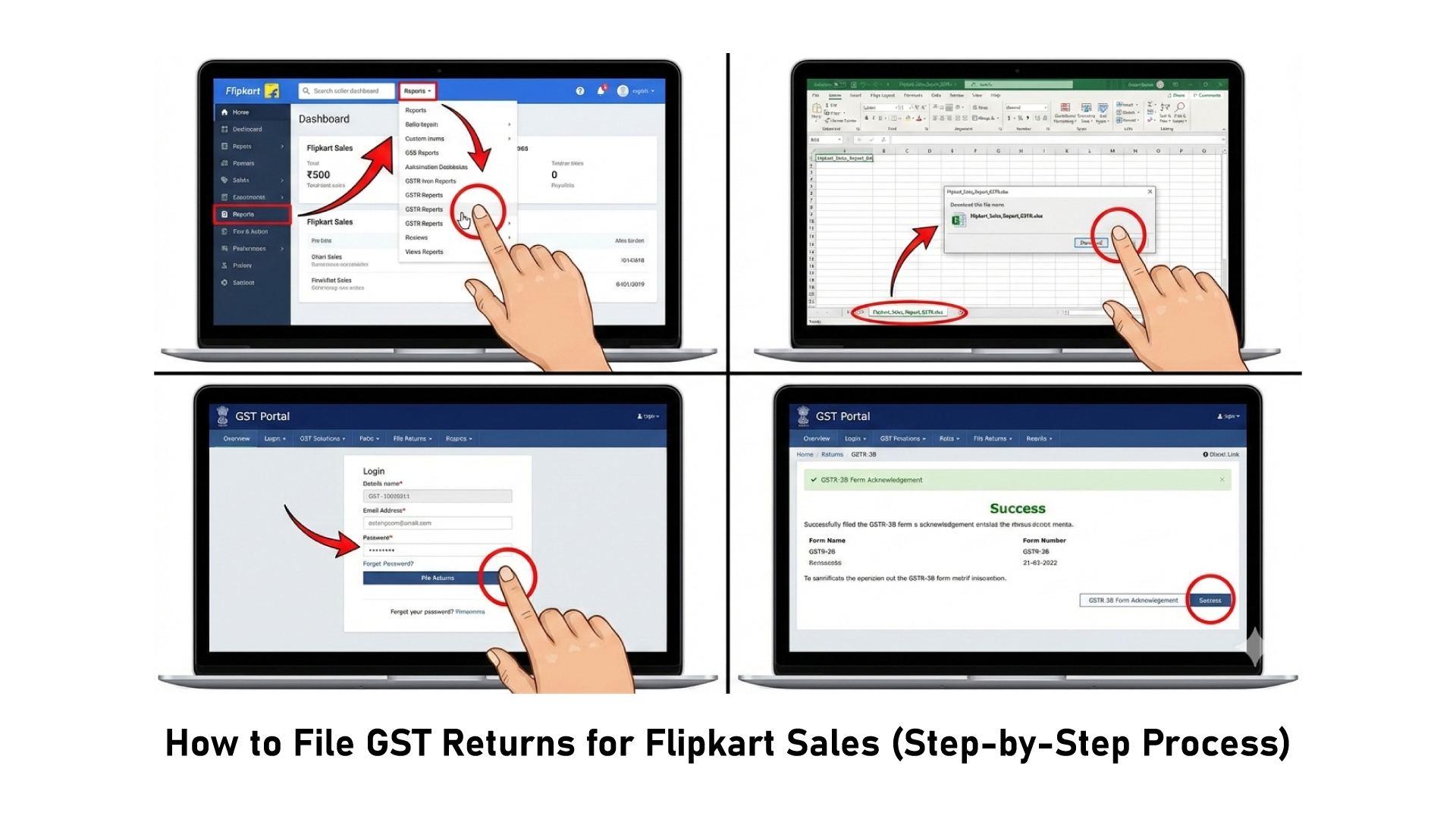
How to File GST Returns for Flipkart Sales (Step-by-Step Process)
Filing GST returns as a Flipkart seller can feel complicated — multiple reports, TCS deductions, mismatches, and strict deadlines.
Every month, thousands of sellers search for the same thing:
“How do I file GST returns for Flipkart sales correctly?”
This guide explains the exact step-by-step process to file GST returns for Flipkart sales, even if you are a beginner.
Who Needs to File GST for Flipkart Sales?
If you sell products on Flipkart, GST registration is mandatory, regardless of turnover.
This is because Flipkart is an e-commerce operator under GST law.
You must file GST returns if:
- You sell taxable goods on Flipkart
- Flipkart collects TCS (Tax Collected at Source) on your behalf
- You have an active GSTIN
GST Returns Required for Flipkart Sellers
Flipkart sellers typically need to file the following returns:
- GSTR-1 – Sales details
- GSTR-3B – Monthly summary & tax payment
- GSTR-2A / 2B – Auto-populated purchase & TCS data
Important: Flipkart files GSTR-8 to report TCS — you do not file this, but you must reconcile it.
Step-by-Step Process to File GST Returns for Flipkart Sales
Step 1: Download Flipkart GST Reports
Login to your Flipkart Seller Hub and download the following reports for the return period:
- Sales Register / Order Report
- Tax Invoice Report
- TCS Report
- Returns & Refunds Report
These reports form the base for your GST filing.
Step 2: Prepare Sales Data (Invoice-Wise)
For each Flipkart order, ensure you have:
- Invoice number & date
- Customer state (place of supply)
- Taxable value
- CGST, SGST or IGST
Sales must be classified as:
- B2C (most common)
- B2B (if buyer provided GSTIN)
Step 3: Reconcile Flipkart Sales with TCS Data
Flipkart deducts TCS (1%) and reports it in GSTR-8.
This TCS appears in your GSTR-2A / 2B.
You must ensure:
- Sales as per Flipkart = Sales reported in GSTR-1
- TCS deducted = TCS reflected in GSTR-2B
This is the most common problem area for sellers due to refunds, cancellations, or timing differences.
Step 4: File GSTR-1 (Sales Return)
Login to the GST portal and file GSTR-1 by:
- Uploading invoice-wise sales data
- Reporting B2C and B2B sales correctly
- Verifying tax amounts
Due date is usually the 11th of the next month.
Step 5: File GSTR-3B (Tax Payment)
GSTR-3B is a summary return where you:
- Declare total sales
- Claim input tax credit (ITC)
- Adjust TCS credit
- Pay net GST liability
GSTR-3B must be filed by the 20th of the next month.
Common Mistakes Flipkart Sellers Make
- Mismatch between Flipkart sales and GSTR-1
- Ignoring cancelled or returned orders
- Incorrect TCS adjustment
- Late filing leading to penalties
- Manual Excel-based calculations
These errors often result in: GST notices, blocked credits, or excess tax payments.
How to Simplify GST Filing for Flipkart Sales
Manual GST filing using Excel becomes unmanageable as your order volume grows.
The smarter approach is automation.
An automated GST accounting software can:
- Auto-import Flipkart sales & TCS data
- Reconcile sales, returns, and refunds
- Generate GSTR-1 and GSTR-3B reports
- Reduce human errors
- Save hours every month
Avoid manual errors — use automated GST filing software.
Final Thoughts
GST compliance for Flipkart sellers doesn’t have to be stressful.
Once you understand the process — or automate it — filing returns becomes routine instead of risky.
If you sell regularly on Flipkart, investing in the right GST system can save you
time, money, and penalties every single month.